The Command Center
Your numbers, live, in one place
Dashboards built on your own QuickBooks data and refreshed every night. Cash, jobs, costs, savings and the close, explained in plain English, with Mike reviewing them with you every month.
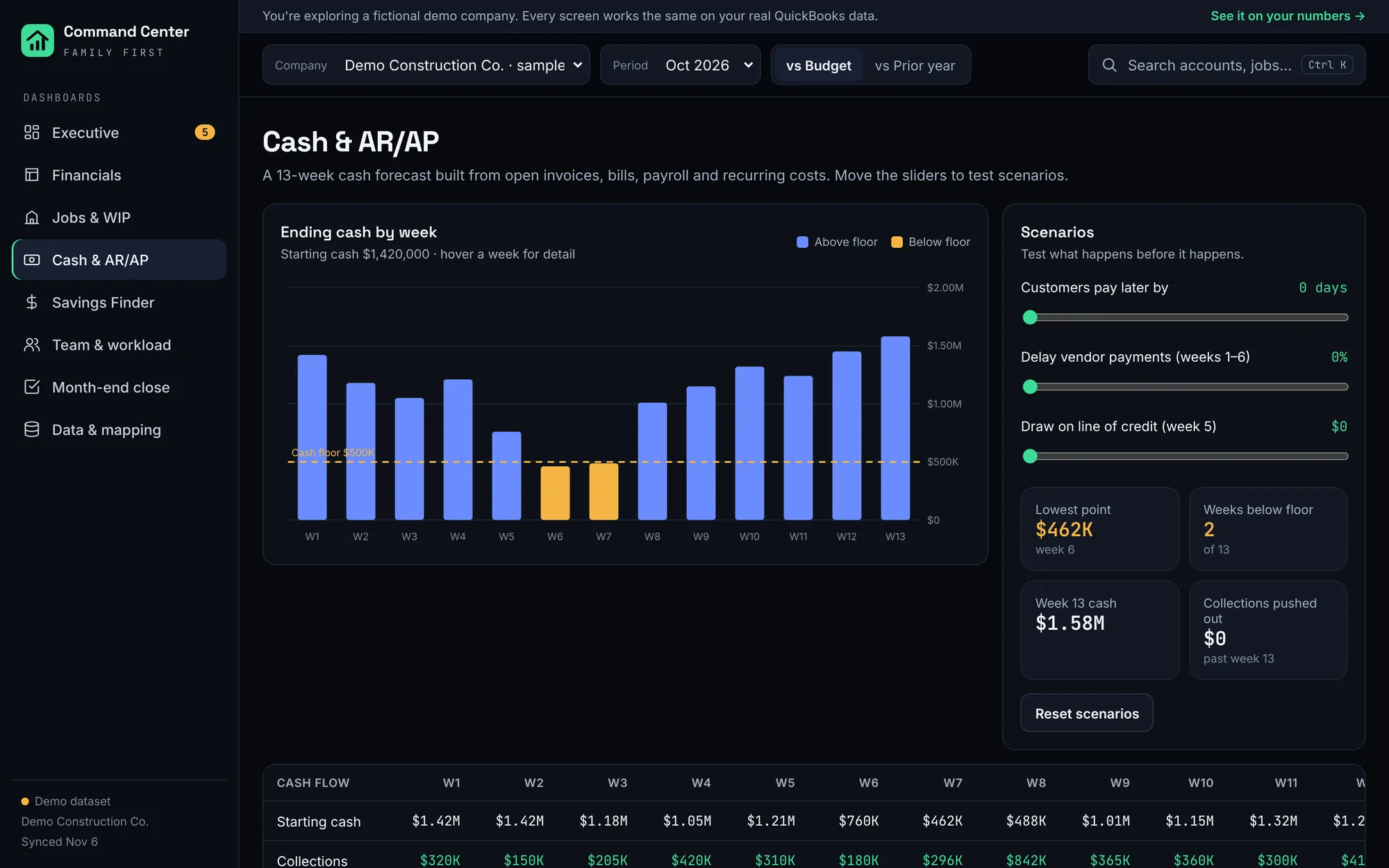
Six dashboards, one login
All screens below are real, shown on a fictional sample construction company.
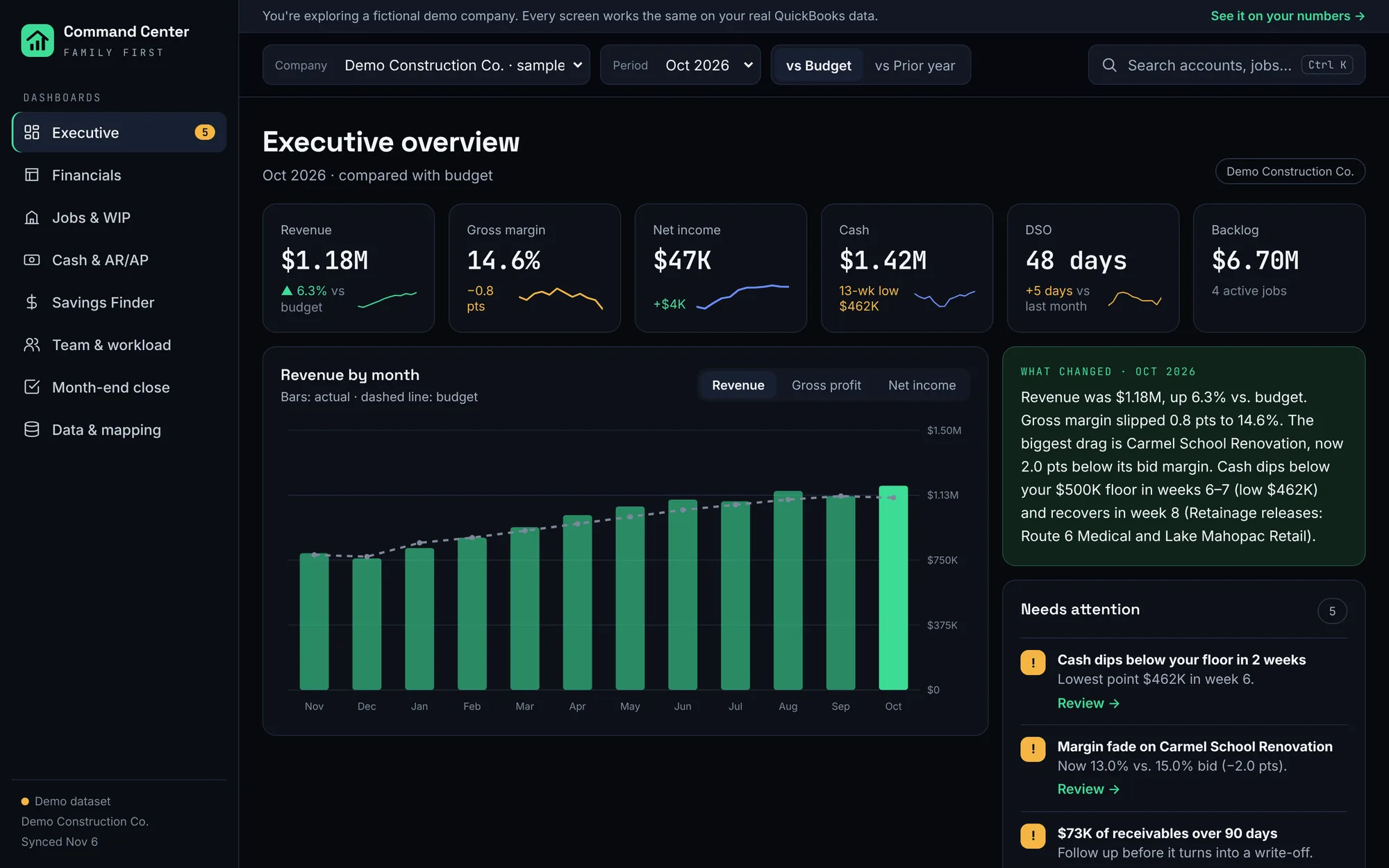
Executive overview
The six numbers an owner needs, against budget or last year, with alerts that link straight to the problem.
- Revenue, margin, net income, cash, DSO and backlog
- Monthly commentary written in plain English
- Alerts for cash, margin fade and old receivables
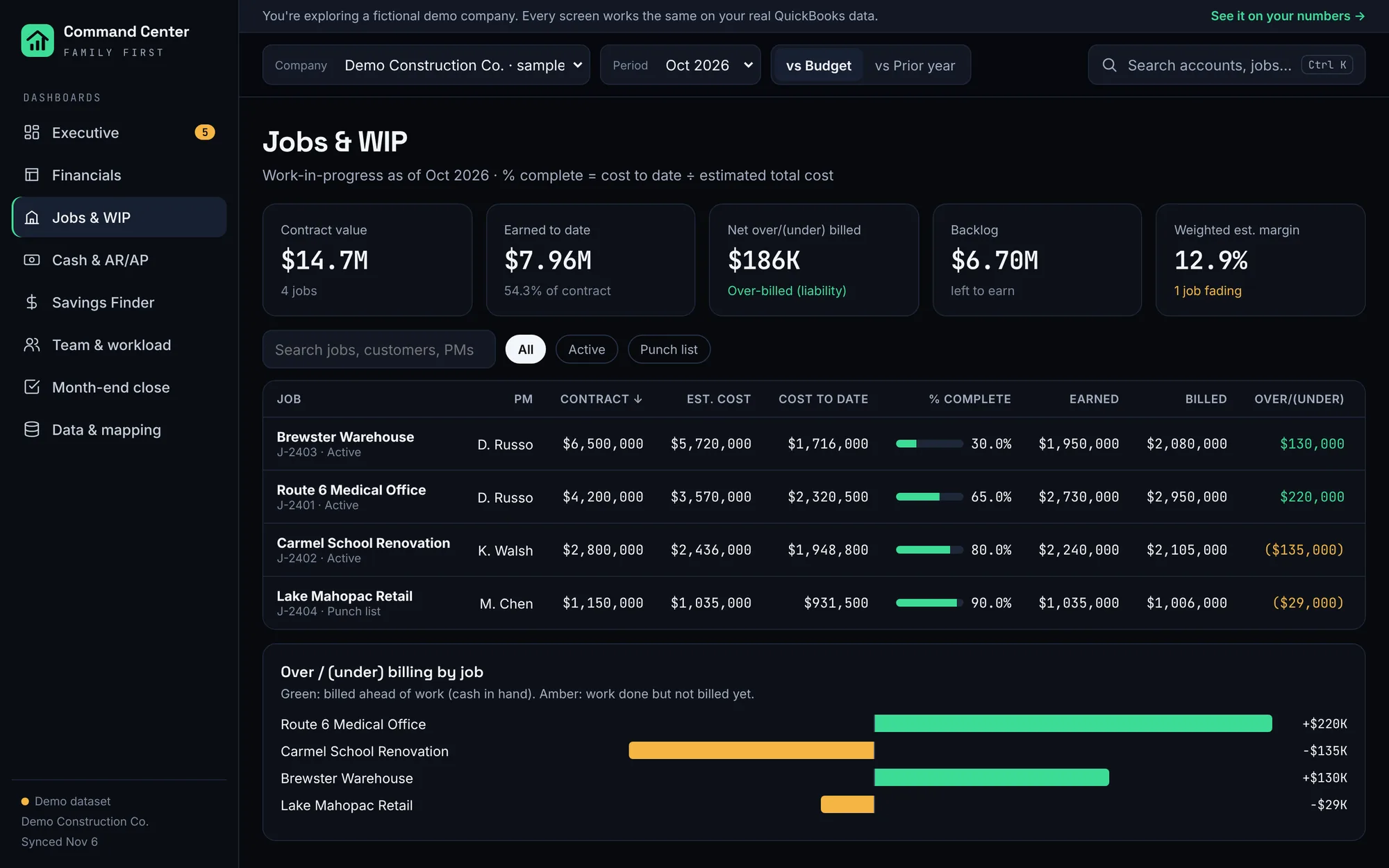
Jobs & WIP
A WIP schedule that builds itself: percent complete, earned revenue, billing position and margin for every job.
- Over/under billing by job
- Cost to date by labor, materials, subs and equipment
- Margin fade against the bid
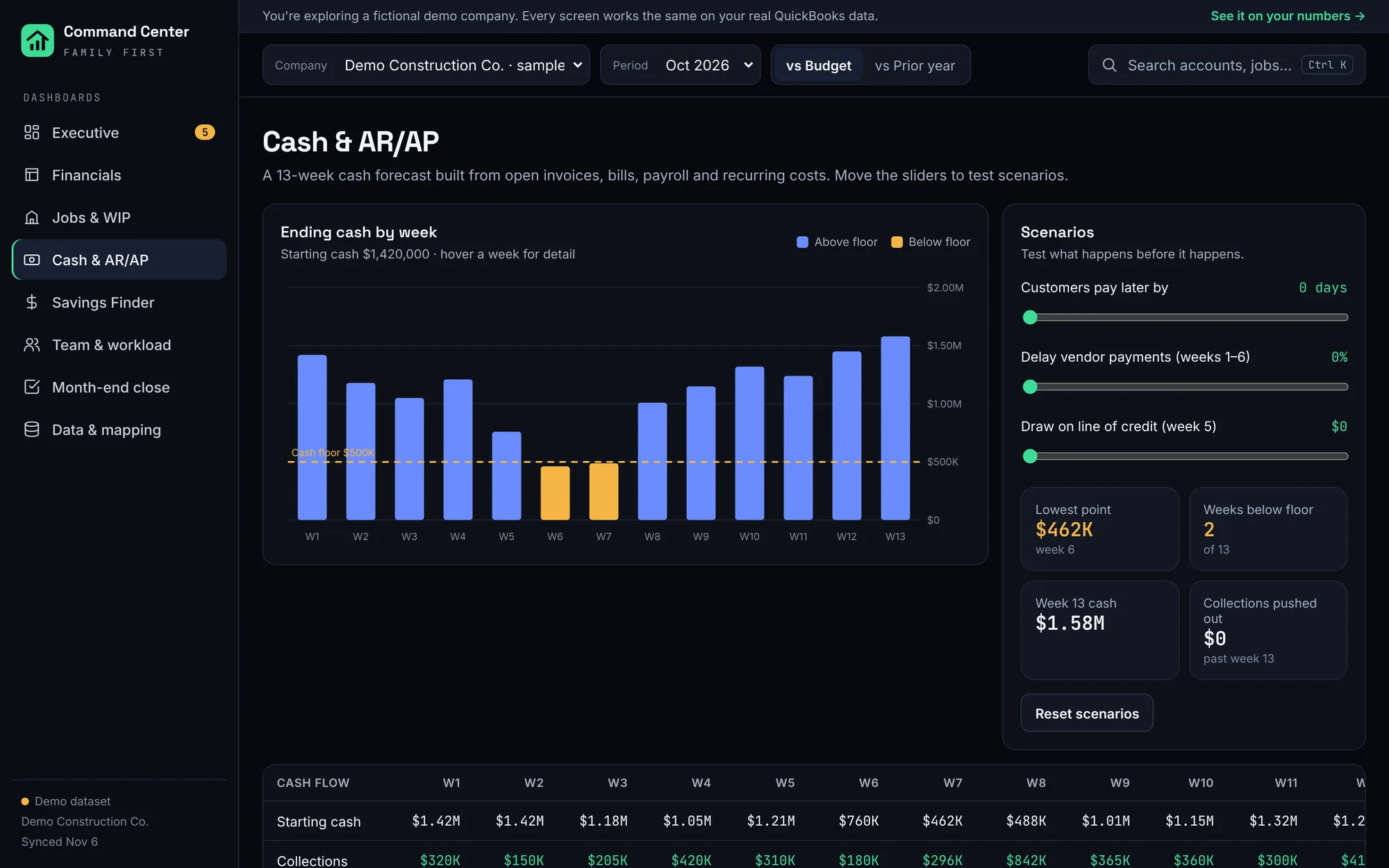
13-week cash
Built from your open invoices, bills and payroll, so you see a tight week coming while you can still do something about it.
- Weekly collections, payroll, vendors and other payments
- Scenarios for late customers, held vendors and a credit line
- AR and AP aging that ties to the balance sheet
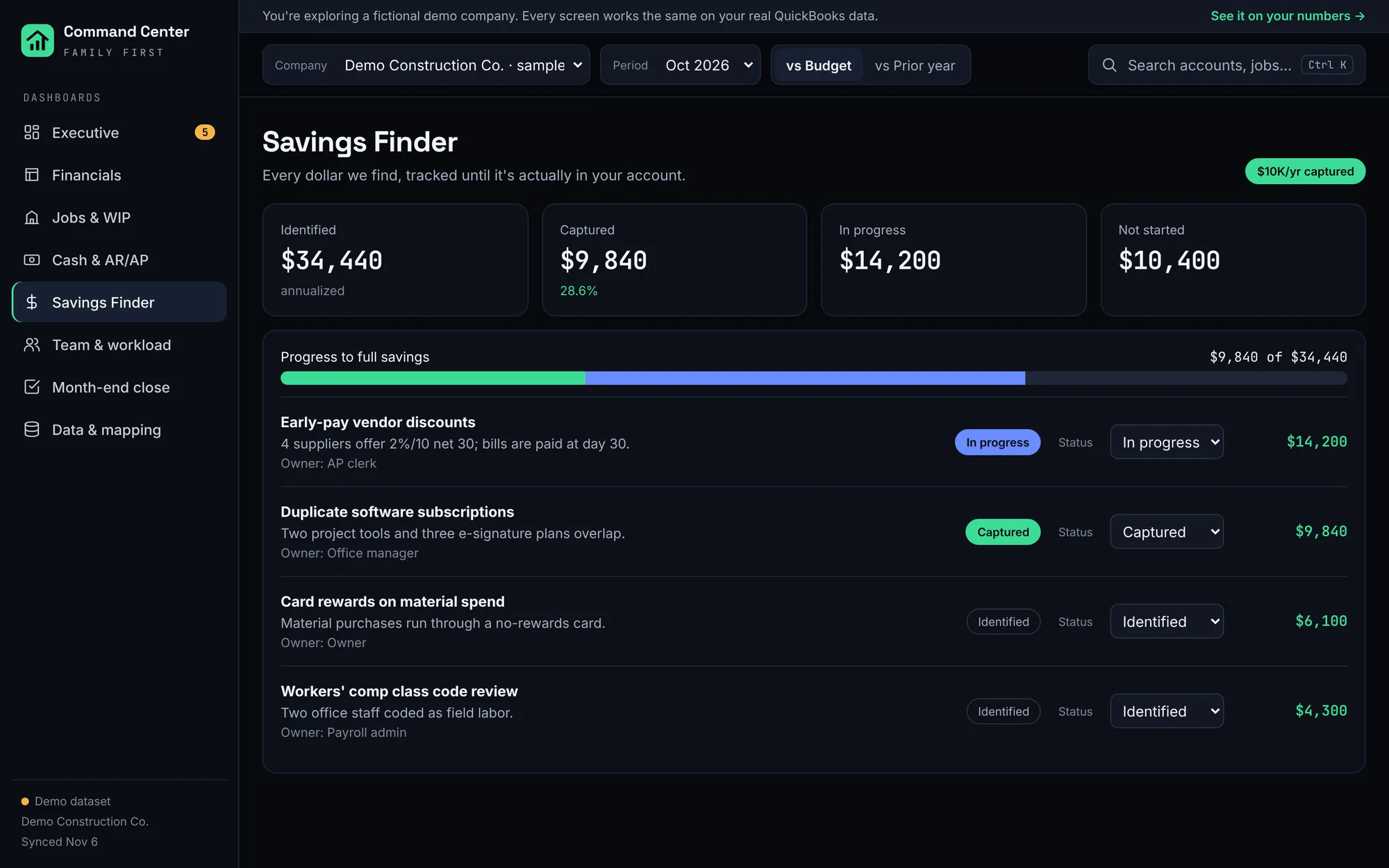
Savings Finder
Every saving from your Health Check, with an owner and a status, counted only when it reaches your bank account.
- Software, vendor terms, card rewards and staff time
- Identified, in progress and captured
- Annualized so you see the real impact
Month-end close
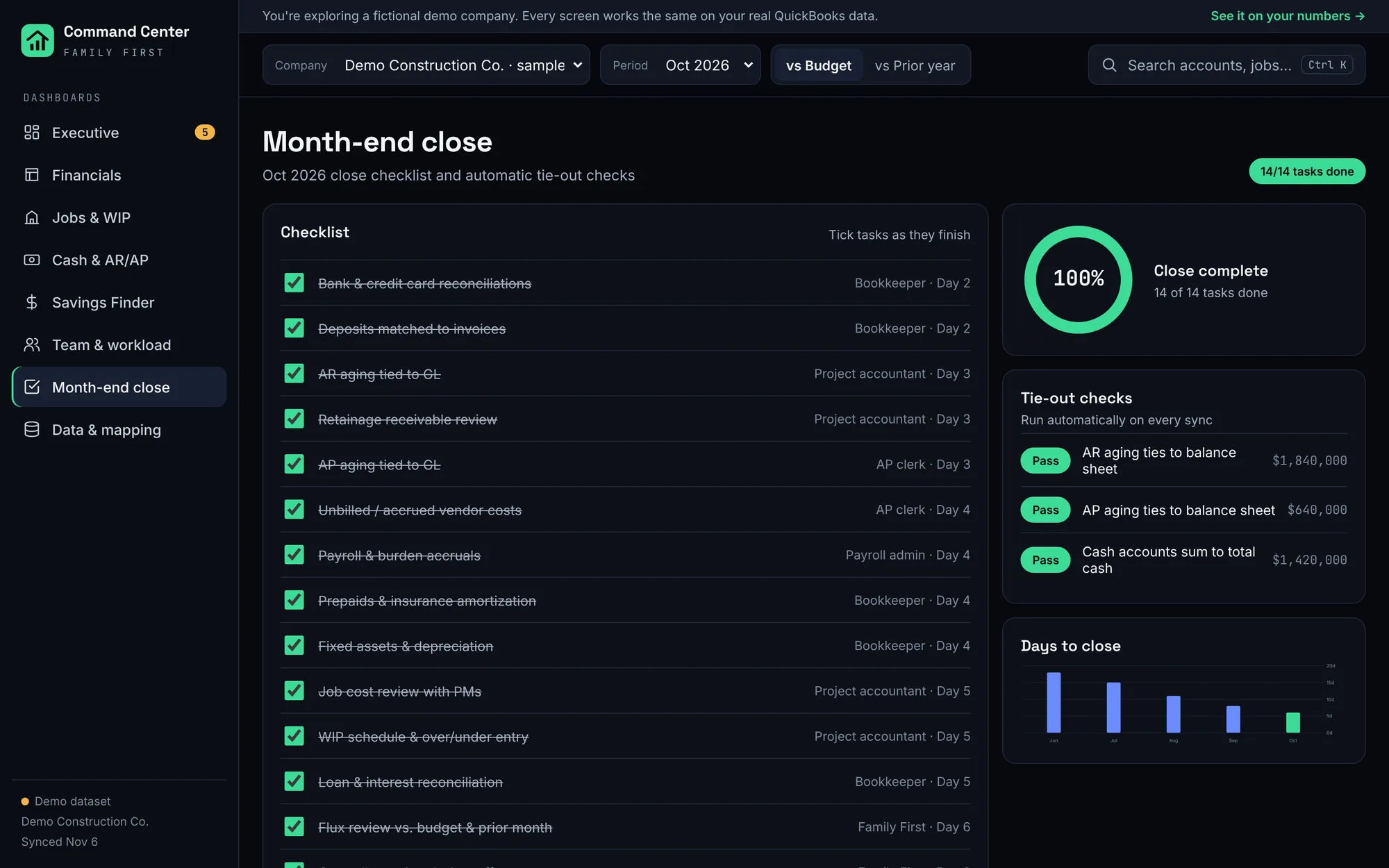
A checklist with owners and due days, automatic tie-outs, and a chart of the close getting faster.
- AR, AP and cash tie-outs checked automatically
- Progress you can see at a glance
- Days to close, month over month
Team & workload
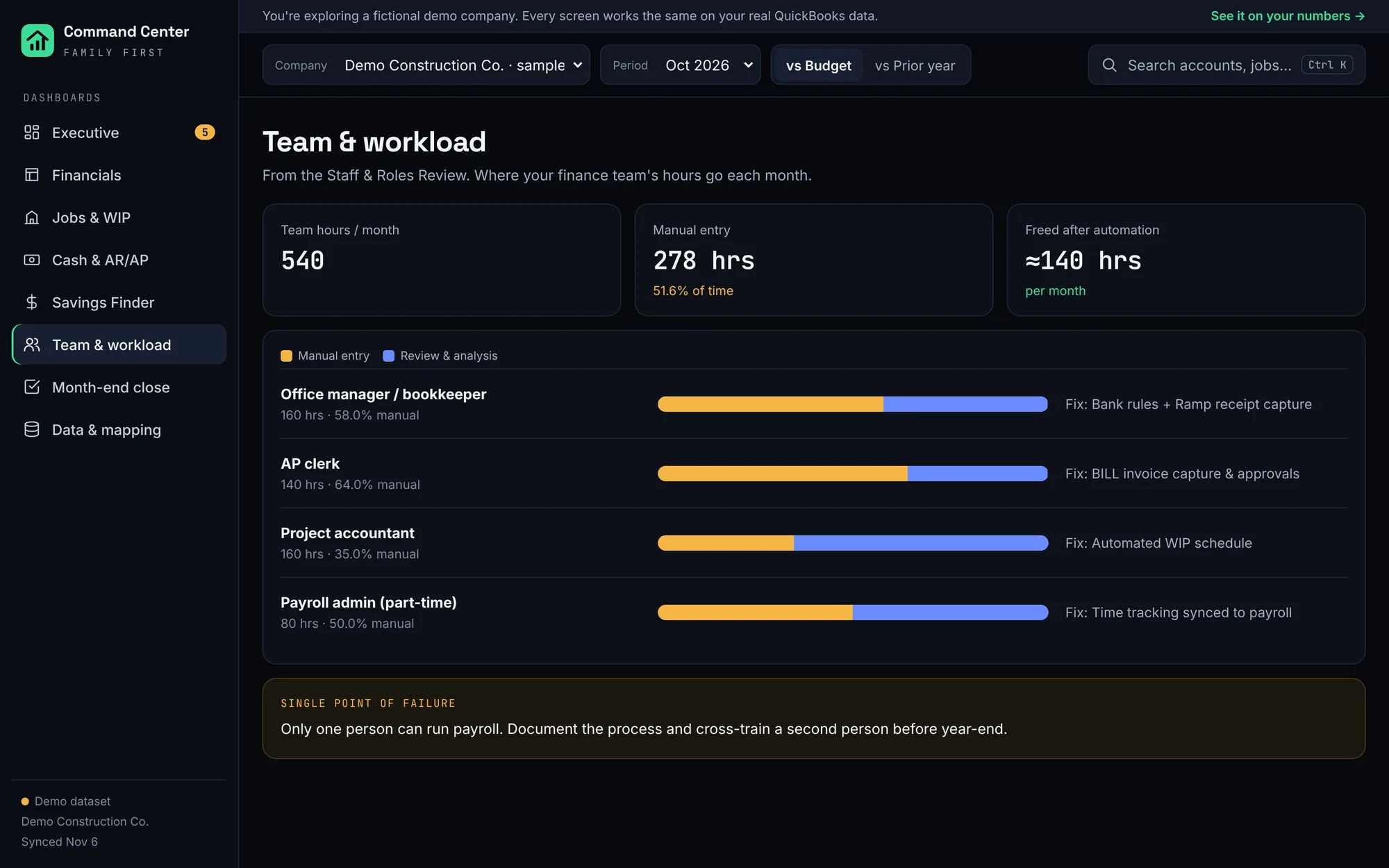
Who does what in finance, how long it takes, and where automation gives hours back. Built from the staff review.
- Hours by person and task type
- Manual work flagged for automation
- Training plan progress
Software plus a person
The software finds and shows. We fix.
The Command Center isn't a report you're left to figure out. It's how we see problems early and show you the result of the work we do in your books every month.
What the software does
- Reads QuickBooks Online or Business Central every day, or your uploaded monthly reports
- Runs the Clean-up Scanner: uncategorized money, duplicate bills, unapplied payments and credits, old undeposited funds and more
- Checks that AR, AP and cash tie to the balance sheet
- Turns it all into dashboards, a 13-week cash forecast and alerts
- Downloads a 16-tab Excel report pack (executive summary, KPI dashboard, financial statements, budget vs actual, budget builder, 13-week cash, WIP and more) with live formulas. See the free templates
What we do
- Reconcile bank, card and loan accounts to statements every month
- Fix what the scanner finds: recode, apply credits, void duplicates, clear old items
- Prepare WIP and book the adjusting entries, accruals and reclasses
- Close the books by business day 10 and walk you through them
On Sage, Dynamics and other systems, we do the same work inside your system and load the monthly reports into the Command Center.
Your data stays yours
The dashboards read from QuickBooks. Nothing in your books changes without your approval.
You approve every change
Connected through Intuit's official sign-in. The dashboards only read. The AI Bookkeeper, if you add it, changes a transaction only after you approve it, and each change can be undone.
Disconnect anytime
Remove access from QuickBooks with one click, whenever you want.
Encrypted in transit
Every page and data request runs over HTTPS.
Standard chart of accounts
Your accounts map to one model, so reports stay consistent as you grow.
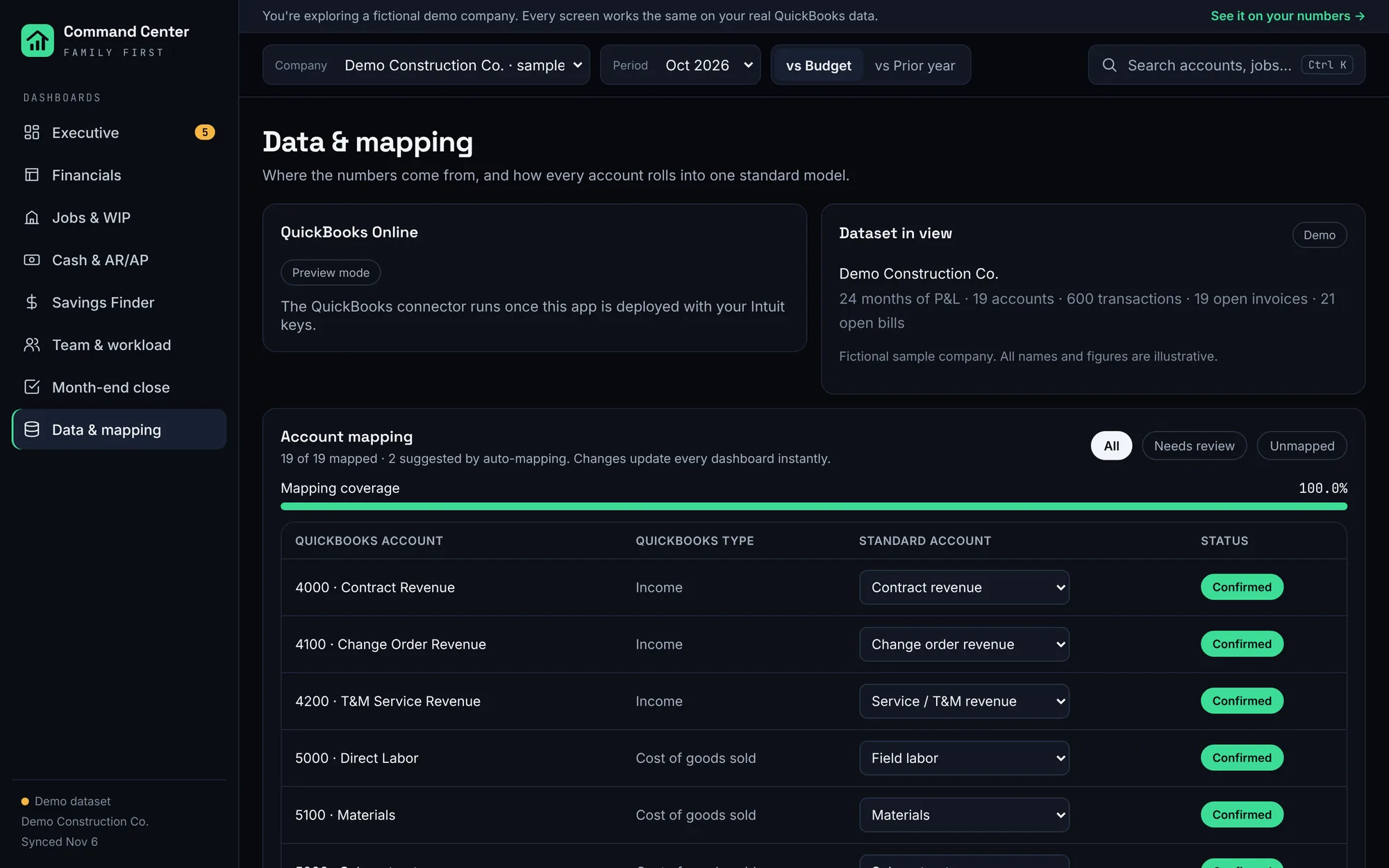
Data & mapping
Messy chart of accounts? That's the starting point.
Every QuickBooks account is mapped to a standard model, with suggestions for anything new. Remap one account and every dashboard updates.

Book a free 30‑minute call
Tell us a little about your business. Mike will reply within one business day to set up a time.

- We look at how your books, systems and team work today.
- You get a straight answer on whether a Health Check makes sense.
- If you'd like, we walk through the Command Center on a sample company.
- No pressure and no obligation.
See a sample Health Check report (PDF)
Not ready to talk yet? Score your finance department in three minutes.